Prepared for BW Events Tech

Updated October 22, 2026 - new live work added below.

Contract event technology and attendee experience, built around the people on the other side of the screen. A short letter first, then the ideas, built to try.

The letter
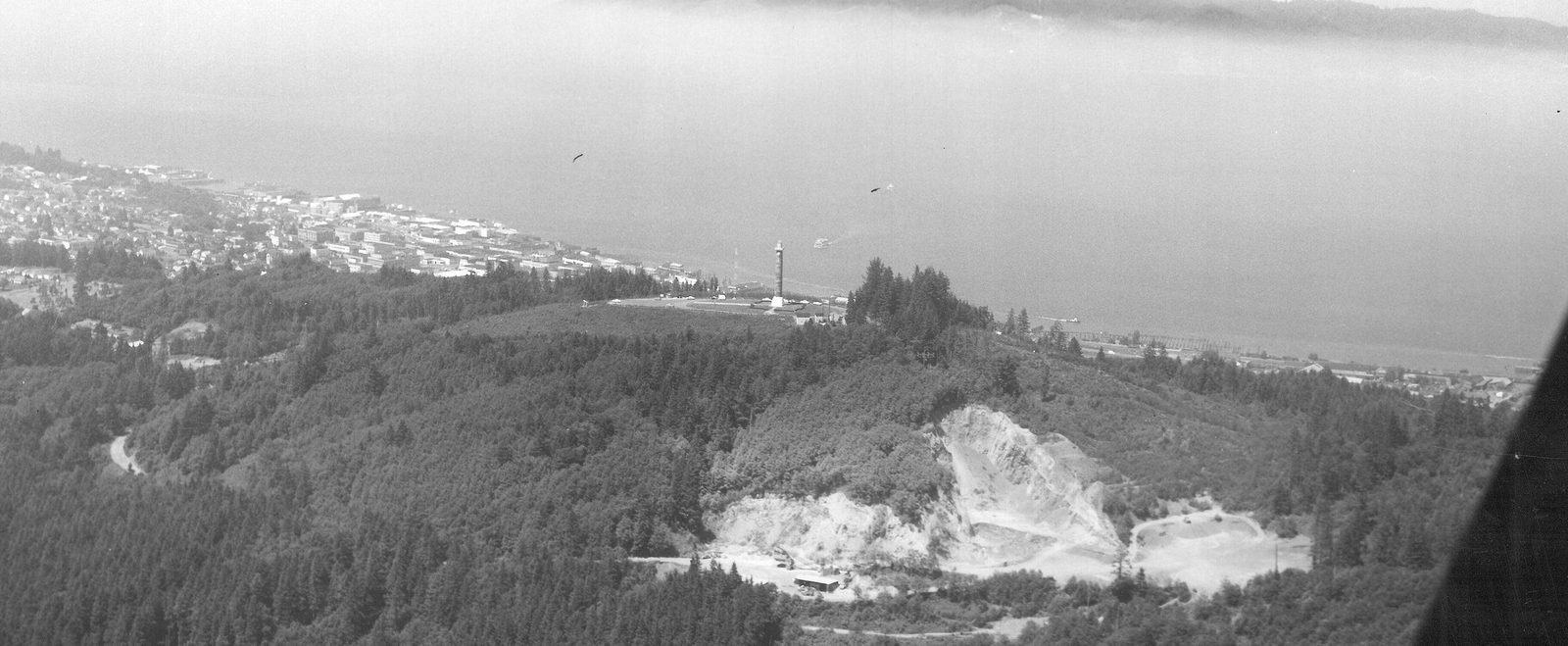
Aerial photograph, about 1956: the Astoria Column on its hill, the town along the shore, and the Columbia River behind
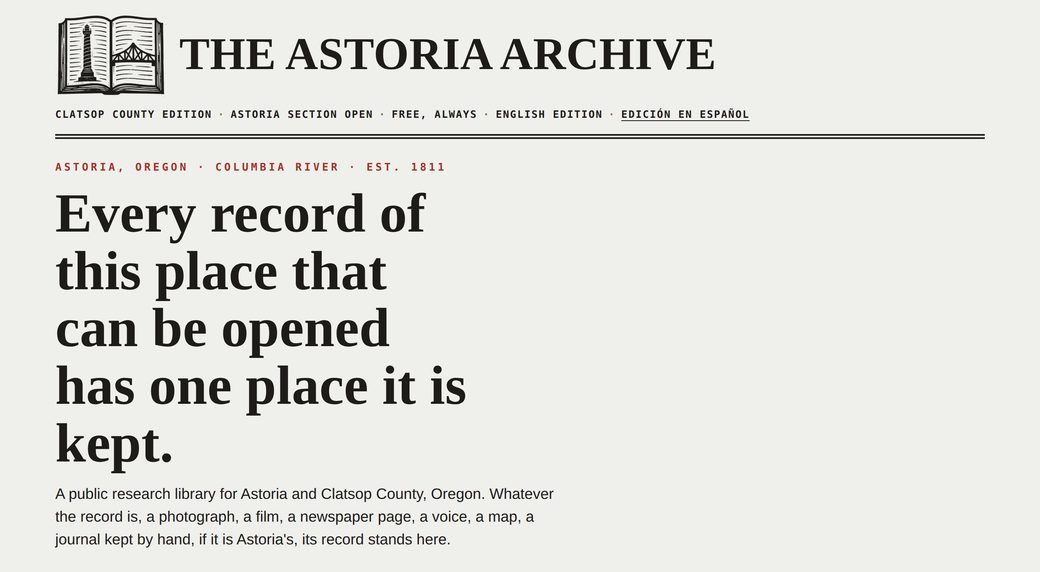
From the ArchiveThe Astoria Column from the air, about 1956. It is the opening photograph of the Astoria Archive, one of the two live builds waiting in section 03 below.Photo: USDA Forest Service, via Wikimedia Commons. Public domain.

Hi BW, I’m Steven.

01 / INTRO

At LVMH I worked in customer experience and client experience across five Maisons, inside Salesforce Service Cloud and Genesys - the same Salesforce your team plugs Cvent and Swoogo into every day. At LVMH I also implemented and tested Salesforce Einstein AI features for my team, and used Microsoft 365 to build automated and suggested response templates and knowledge-base articles. At Prada I ran eCommerce and client experience across the Americas. Prada is also where the proprietary systems work happened: custom builds inside Microsoft Dynamics 365, Power BI reporting on top of it, and custom AI built for Dynamics 365 - for the moments the standard platform stops being enough. And in my agency years I ran web and digital projects for Nike, Intel, and T-Mobile, so I know the build side too.

Your team puts it plainly: human first, with the tech skills to back it up. That has always been my order too. What I know cold is the moment on the other side of the desk - someone with a problem, a line behind them, and about thirty seconds of patience left. That’s where it gets won or lost: at a checkout, at a check-in desk. The platform sits underneath, doing its job quietly.

Attendees remember the front of house: the desk, the door, the person who sorted it out. Everything underneath earns its keep by staying quiet.

Contractor work suits me. I’m good on my feet, I’m good with demanding clients, and I pick up new platforms fast. At Inktel the tools changed with every client, so getting up to speed in a new system is just a habit at this point. I’d love to be one of the people you call.

Short on time? The paperwork

This page was built for BW. Headland, the practice behind it, keeps the work, the thinking, and the fuller story on the main site.

Look around Headland

Built for BW.

02 / THE WORK

None of this came out of a drawer. Thirteen working concepts, built from scratch for BW Events Tech - nobody else has seen them, and this is not a portfolio with the logos swapped. Each one is clickable, in the style of the client it would serve, with a number attached - registrations finished, rooms filled, sponsors renewed - because that is what the tech is for. People first in every one of them. They are starting points, not throwaways: win the work and this is where we begin, not where we start over. Fictional event, fictional companies. The mechanics are the point.

Concept i · The dining concierge · Start here Near the Connect

Where 12 of us can eat tonight

A dining guide inside the event app: restaurants near the venue, filtered by the question attendees really ask - who can host 10, 15, 20 of us. Book a table and it lands in the attendee’s name, booked direct - no form to fill out, no second login. The sponsor pays; the attendee gets zero friction. No table to be had? A dish-first search finds what delivers to the venue instead - rated, with one tap to that kitchen in the delivery app. No comparing apps, no hunting through menus.

The business case: sponsorship inventory beyond the show floor. Restaurants pay to be the answer, and the placement is labeled, out in the open.

Made for BW - step inside
Concept ii · The attendee app Relayforge Connect

A whole event app, with a concierge in it

Unified agenda, session registration, rich speaker profiles, wayfinding from any room to lunch, the day’s menu fed straight from catering, attendee-to-attendee connect, sponsor spotlights - and an assistant that answers from the event’s own content at 11pm.

The business case: fewer front-desk questions, fuller rooms, and sponsor placements attendees actually open.

Made for BW - open the app
Concept iii · The ops tool Event Pulse

The show office, on one screen

Check-ins by the hour, room capacity, session scanning, the help queue - live, the way an on-site team actually watches a show.

The business case: trouble surfaces before the corridor feels it, staffing moves before lines form, and sponsors get footfall numbers that are real.

Made for BW - watch the board
Concept iv · The vendor portal Speaker & Sponsor Concierge

The people you host, looked after

Slide deadlines, AV checks, hotel and flight details for speakers; leads, scanners, and 1:1 meetings for sponsors. One portal, both sides of the stage.

The business case: speakers who feel looked after come back, and sponsors renew on meetings held - not on a spreadsheet.

Made for BW - switch sides
Concept v · The after-page The Momentum Page

The event ends. The value doesn’t.

A personal page for every attendee: sessions they caught, replays queued, resources in their briefcase, people they met - and next year, one tap away.

The business case: sponsor value that runs past teardown, content that keeps working after the show, and attendees who turn into next year’s registrations.

Made for BW - see the after-page

Made for this page, and only this page. Every concept above started as a blank file, built for BW and shown to no one else first. Nothing here is a screenshot; open each one on your phone and push the buttons.

And it keeps going.

Quick ones, one screen each. This is what the thinking looks like before anyone has paid for a thing.

Since then, shipped and live.

03 / LIVE WORK

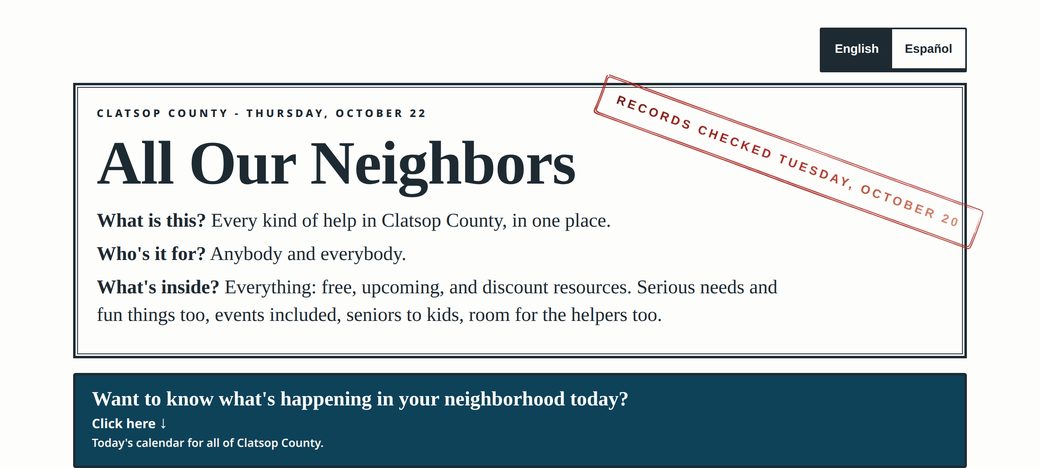
The concepts above were a starting point. Since then I have designed, built and shipped two large public sites end to end, through Headland. They are my own community builds, not client work. Both are content-heavy, bilingual and searchable, and both are live now - proof the build work is current and real, not just concepts.

AI that earns its keep.

04 / CUSTOM AI, FOR BW

You are building toward AI that personalizes the attendee journey and proves ROI while the journey is happening - I read the roadmap the same way you do. So this is not a wish list. These are the four builds I would put in front of you, what each one does, and the number it moves. Concrete enough to scope honestly and start on a single event.

i.

The Journey Engine

A personalization layer that sits across the stack you already run - Cvent, Swoogo, the app, Salesforce - reading registrations, session scans, and app behavior as the show unfolds. Each attendee’s agenda, nudges, and recommendations reshuffle live: the session about to fill gets routed, the quiet room gets filled, the sponsor demo gets suggested to the people most likely to care.

The number it moves: session fill rate, no-shows, sponsor meeting counts.

ii.

The Concierge, with a memory

Help that answers from the event’s own content - schedules, FAQs, venue, the run-of-show - and remembers the conversation across the app, SMS, and the help desk. It handles the five questions that make up most of the queue, and hands anything personal to a human fast, with the context attached. Human first; the AI is the triage, never the wall.

The number it moves: questions resolved without a ticket, desk queue length, attendee CSAT.

iii.

ROI that reports itself

Registration to attendance to meetings to pipeline influence, one live view instead of a spreadsheet three weeks after teardown. Sponsors get a report that writes itself - footfall, meetings held, leads synced. Your clients get the cost-per-registration story while there is still time to change it.

The number it moves: cost per registration, pipeline influenced, sponsor renewal rate.

iv.

The on-site copilot

One for your own teams, running hundreds of events a year across a dozen time zones. The run-of-show, staffing plan, vendor list, and every hard-won note from the last show, in one searchable place. It flags the conflict nobody saw - two keynotes, one producer - and drafts the comms when the plan changes at 6am.

The number it moves: hours returned to the show office, per event, every event.

How we would start: the Journey Engine, on one mid-size user conference - big enough to prove it, small enough to steer. It pilots at that event, the numbers come back with the attendees still warm, and then it scales across the calendar. That is the proposal, ready to start when a brief lands.

Start with the brief
05 / THE BUILD

Watch a hub get built.

An attendee hub, assembled live in your browser, looping while you watch. First the frame goes up and the plumbing goes in - then the design lands on top. Bones first, beauty second: built the way I’d build yours.

No buttons needed: it builds itself, on repeat. When the preview finishes, tap Add badge to home screen - an installable web app moment, no app store involved.

Chapter one · The framing Chapter two · The design
Hub live
Step 0 of 6
  1. Chapter one · The framing
  2. The brief

    A summit, 1,800 attendees, three days. One hub for everything - before, during, and after.

    1,800 attendees3 daysMobile-first
  3. The frame goes up

    Bones first. Every screen - agenda, speakers, check-in, help - laid out as plain boxes, mapped on a phone before a single pixel gets pretty.

    WireframeMobile-firstStructure before style
  4. The plumbing goes in

    Registration, validation, confirmations, the session catalog, badge scanning, Salesforce underneath. The architecture nobody sees - and everybody feels when it’s missing.

    ValidationConfirmation QRSalesforce sync
  5. Chapter two · The design
  6. Then it gets beautiful

    Only now does design land - brand, type, color, real copy - over the same bones. Pretty is the last layer, never the first.

    Brand & typeReal copySame skeleton
  7. Help that answers at 11pm

    AI chat trained on your event content - and a clean hand-off to a human when the question gets personal.

    Event FAQsVenue infoHuman hand-off
  8. Installs like an app. Lives on your domain.

    One tap adds it to the home screen. No app store review, no download wall - your event, on their phone.

    Home-screen badgeYour domainNo app store
Stack I work in Tech agnostic Genesys PureCloud Salesforce Service Cloud Salesforce Commerce Cloud Microsoft Dynamics Microsoft 365 Cvent / OnArrival Attendee Hub Swoogo Custom builds
Headland emblem - a black line-art cliff over water
Headland
Customer Experience

Have an event that needs better technology?

I take on contract work one project at a time, or a few in a row. Start me with one, and let the work earn the next.

Steven Killian
Steven Killian Headland CX · Astoria, remote or travel · [email protected]

Why this page

A letter first.What this page owes you is the thinking, in my own words.
Working concepts, not a resume.Anyone can describe an idea. Building thirteen of them, and putting them where you can push the buttons, is the interview.
A number beside every idea.Registrations finished, rooms filled, sponsors renewed. The tech is only worth what it moves.
Built for BW, nobody else first.Custom work is the pitch. A template would have proved the opposite.